Daily, weekly, monthly usage
See how much data each app used today, this week, and this month, with the biggest users sorted first.
TinyNeed Mac Utility
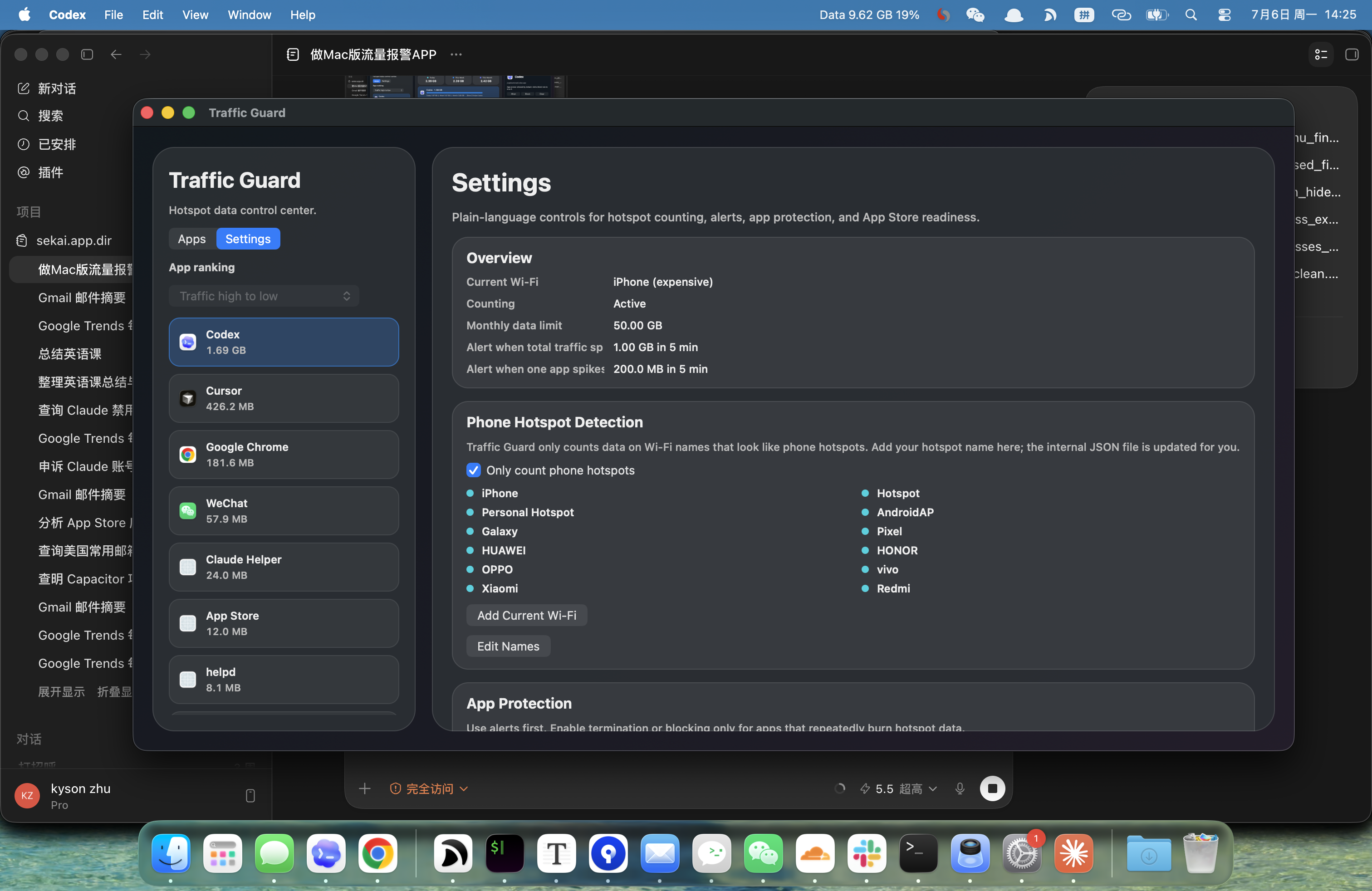
Watch personal hotspot data on your Mac, see which apps are using it, and get warned before a small monthly plan disappears.
What it does
Traffic Guard is built for people using a Mac through a phone hotspot, especially when the monthly plan is limited and surprise background traffic matters.
Features
See how much data each app used today, this week, and this month, with the biggest users sorted first.
Open an app row to understand its helper tasks, active connections, and the endpoints currently taking traffic.
Warn on short bursts, such as a 1 GB spike in 5 minutes, instead of waiting until the monthly plan is already damaged.
For repeated offenders, you can enable blocking or automatic termination rules. Alerts stay available as the safer default.
Traffic Guard can count only on Wi-Fi names like iPhone, Personal Hotspot, AndroidAP, Pixel, Galaxy, HUAWEI, OPPO, vivo, and Xiaomi.
When granted permission, Traffic Guard can read Chrome tab titles and URLs to help you identify the page behind browser traffic.
Privacy
Traffic Guard does not require an account. Usage counters, Wi-Fi rules, app rules, endpoint names, and recent alerts are stored locally on your Mac.
Optional Chrome tab access is used only to help identify traffic sources in the app. Traffic Guard uses Firebase Analytics from app launch. Product analytics cover usage metrics, including the Premium paywall, purchase, and restore flows. Purchase and restore result events are used only for product analysis. Analytics do not include feedback text, email addresses, full Wi-Fi names, endpoint lists, Chrome tab URLs, transaction identifiers, prices, or Apple Account details.
FAQ
No. It gives a best-effort local estimate. Your mobile carrier remains the source of truth for billing and quota usage.
Reliable per-app packet blocking on macOS usually needs a Network Extension or firewall-level component. This lightweight build uses alerting, app rules, and best-effort app termination where the user enables it.
Browser traffic often comes from one tab. With your permission, Traffic Guard can read tab titles and URLs so you can identify the page more quickly.